A new format.
A photo worth keeping.
Convert still images and make focused edits locally on Windows. Keep your original and save the copy you need.
For the file you have.
And the place it is going.
A photo may need a more widely accepted format. A screenshot may need a tighter crop or a clearer annotation. Citrus keeps these tasks in one local workspace, with separate conversion and editing tools.
Still-image outputs include JPEG, PNG, WebP, HEIC, TIFF, AVIF, BMP and PDF. The choices shown depend on the selected inputs and the available local engine. A supported extension does not guarantee that every source file can be read.
Converting a format and editing a picture are distinct operations. Choose Convert for an output format, or Tools for a focused editor. Existing files are not overwritten by conversion.
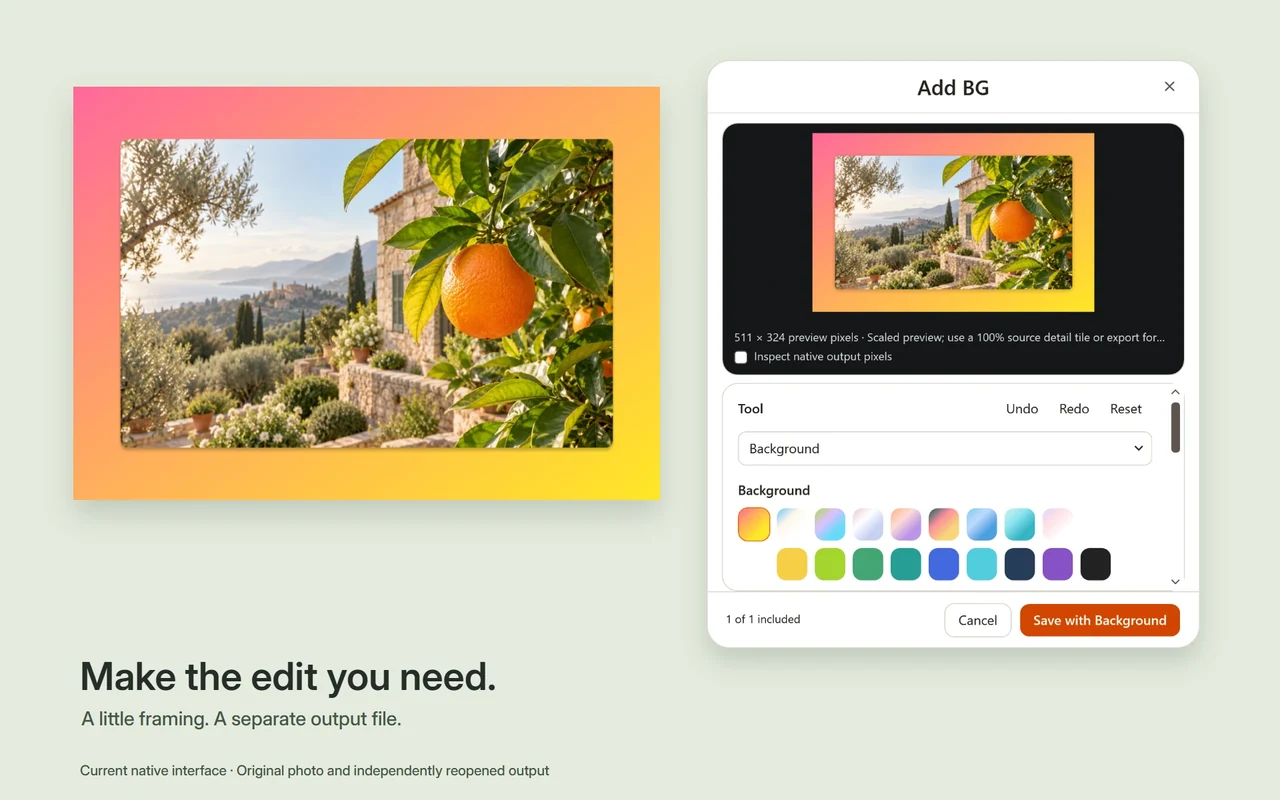
Make the edit you meant.
- Adjust and compare
- Edit Photo offers exposure, brightness, contrast, highlights, shadows, whites, blacks, gamma, temperature and tint. Compare with Original and reset individual values.
- Frame and explain
- Crop with direct handles, aspect presets and pixel dimensions. Annotate or apply manual redaction masks when you need to explain or obscure part of an image.
- Prepare for sharing
- Compress an image, inspect metadata or use Add BG for a screenshot background, padding, corners and shadow.
Start in the workspace.
- Open Citrus and choose Open workspace.
- Add a still image stored on your PC. Download an online-only cloud file first.
- Choose Convert and the destination format, or choose an image operation in Tools.
- Review any offered settings, create the separate output and open it to check the result.
A mixed selection shows the operations supported by every selected input. If a format is missing, try one image and read its result or repair information.
Follow the HEIC-to-JPG guideA few format boundaries.
The still-image workflow does not handle animated or multipage images. Self-contained SVG can be rasterized, but external resources are not loaded. HEIC availability depends on validated local codec capability.
Format changes can affect transparency, color, metadata and quality. Inspect your exported file for the use you have in mind. Redaction uses masks you place; it does not automatically detect sensitive information.
Read image compatibility notesGive your next image a useful copy.
Try the Windows preview, with its signing status and requirements in view.
Citrus 0.3.0-preview.2 is an unsigned public preview for Windows x64. Windows 11 is recommended. Review the installer and requirements before installing.